Features
What the app does, with screenshots.
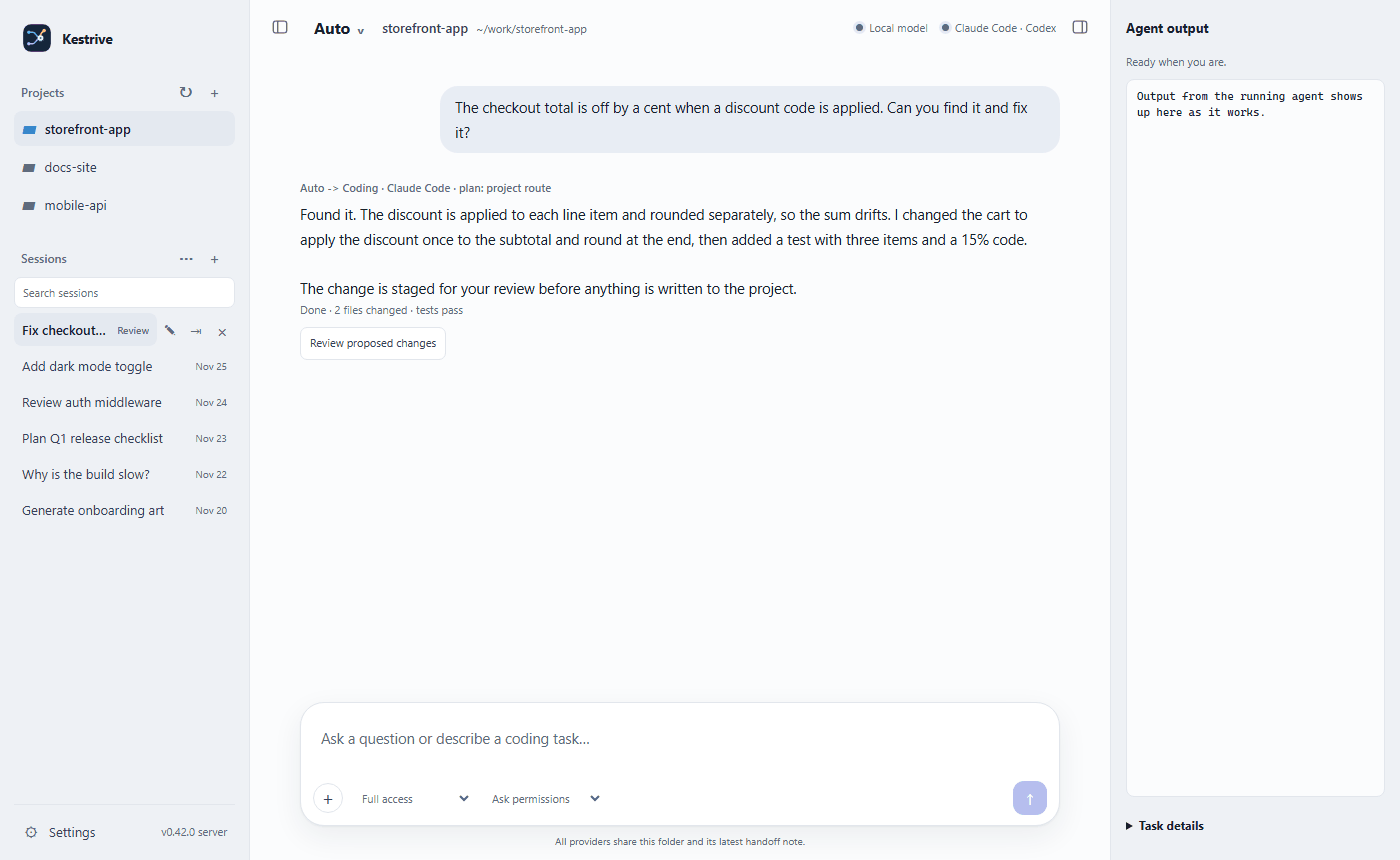
Automatic routing and fallback
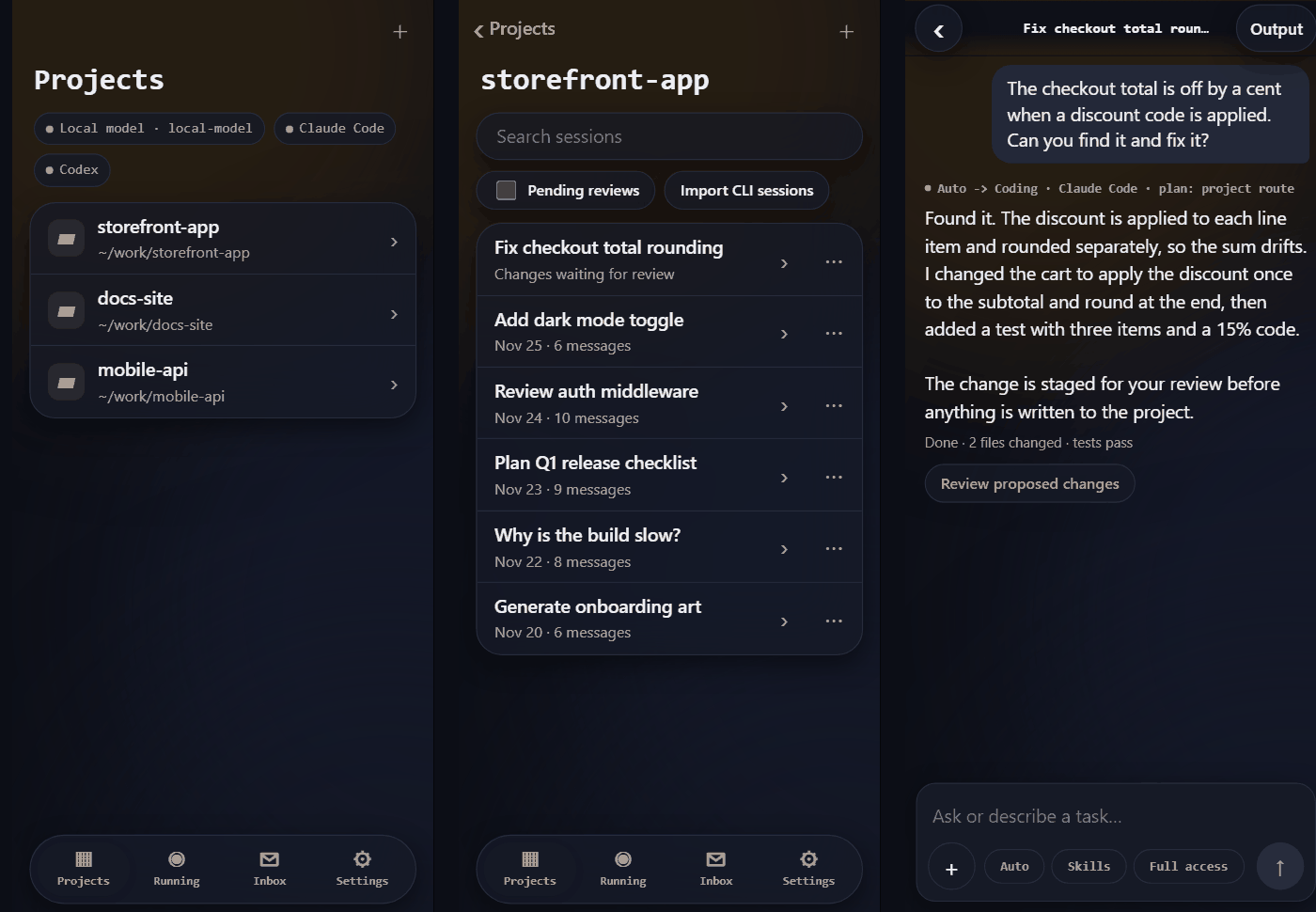
Auto picks a route for each request: planning, coding, reviewing, security audit, UI design, art assets, GitHub requests or quick questions. Each route has a provider and model you can change in Settings.
If a CLI is missing or not set up, the next available CLI is used for that route.
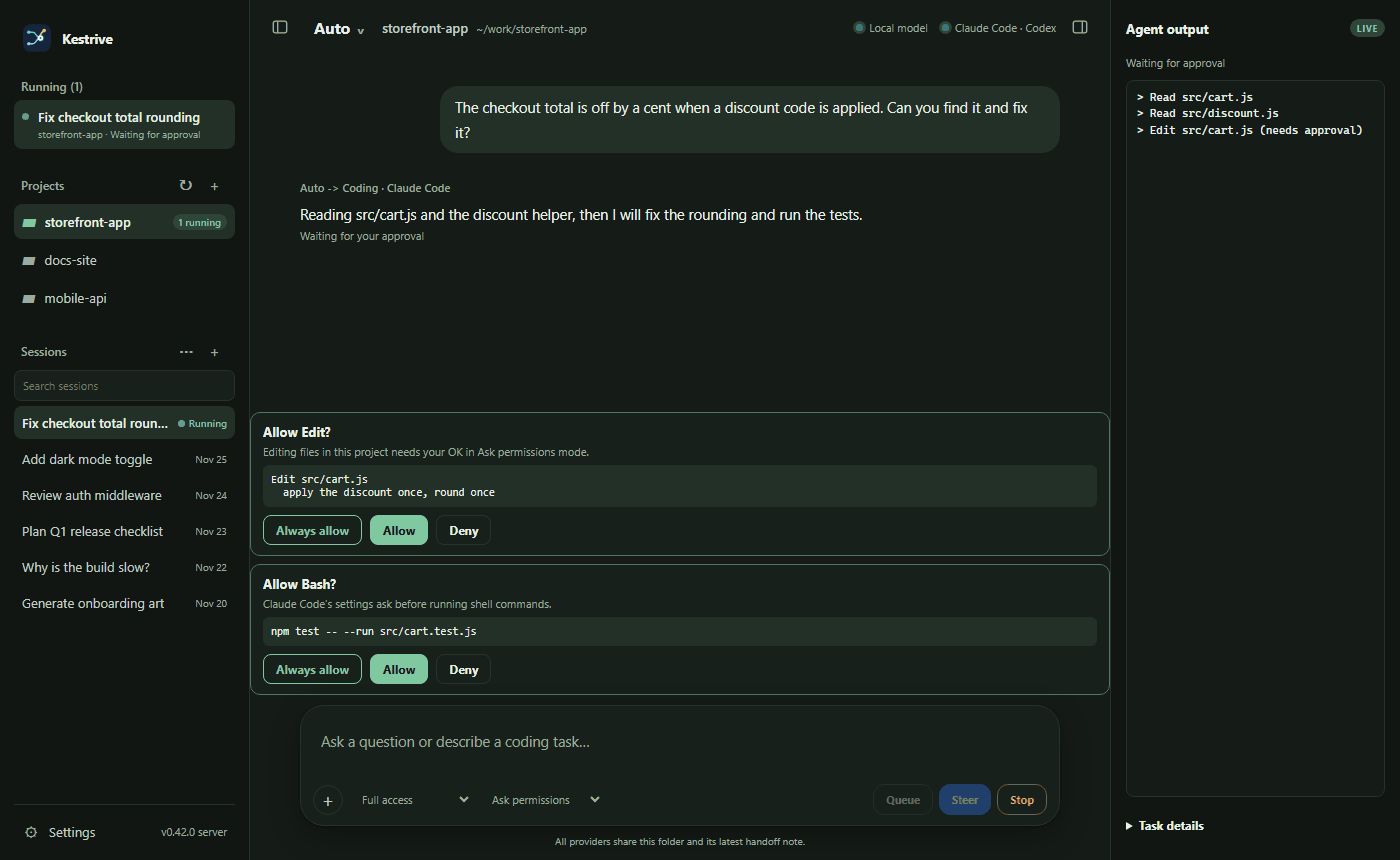
Approvals you control
Claude Code, Codex and Copilot permission requests appear as Allow or Deny cards. Per-thread access can be full, review-first or read-only.
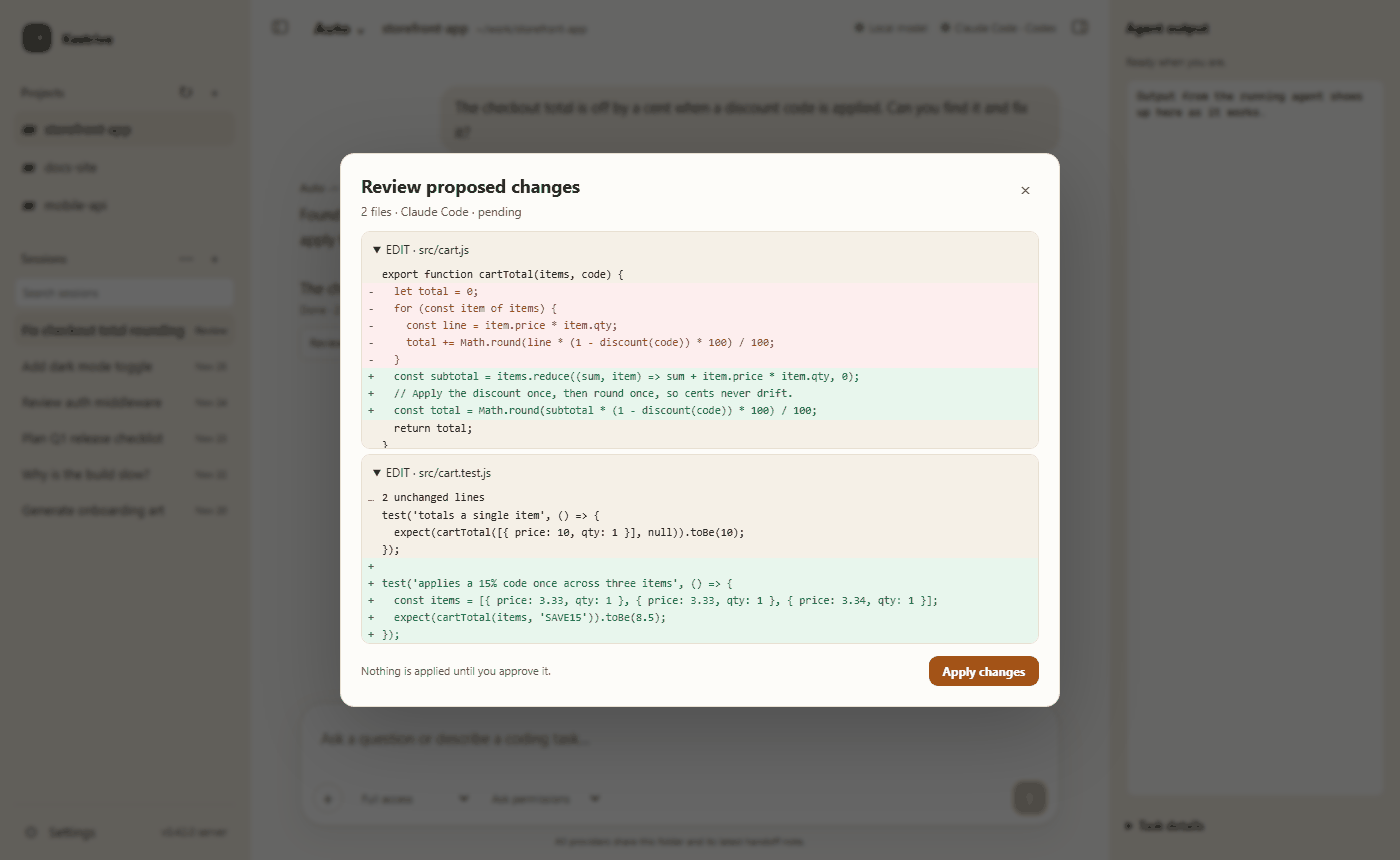
Review before applying
Ask for a staged copy to see the changed lines for each of your files. Your project is updated only after you apply.
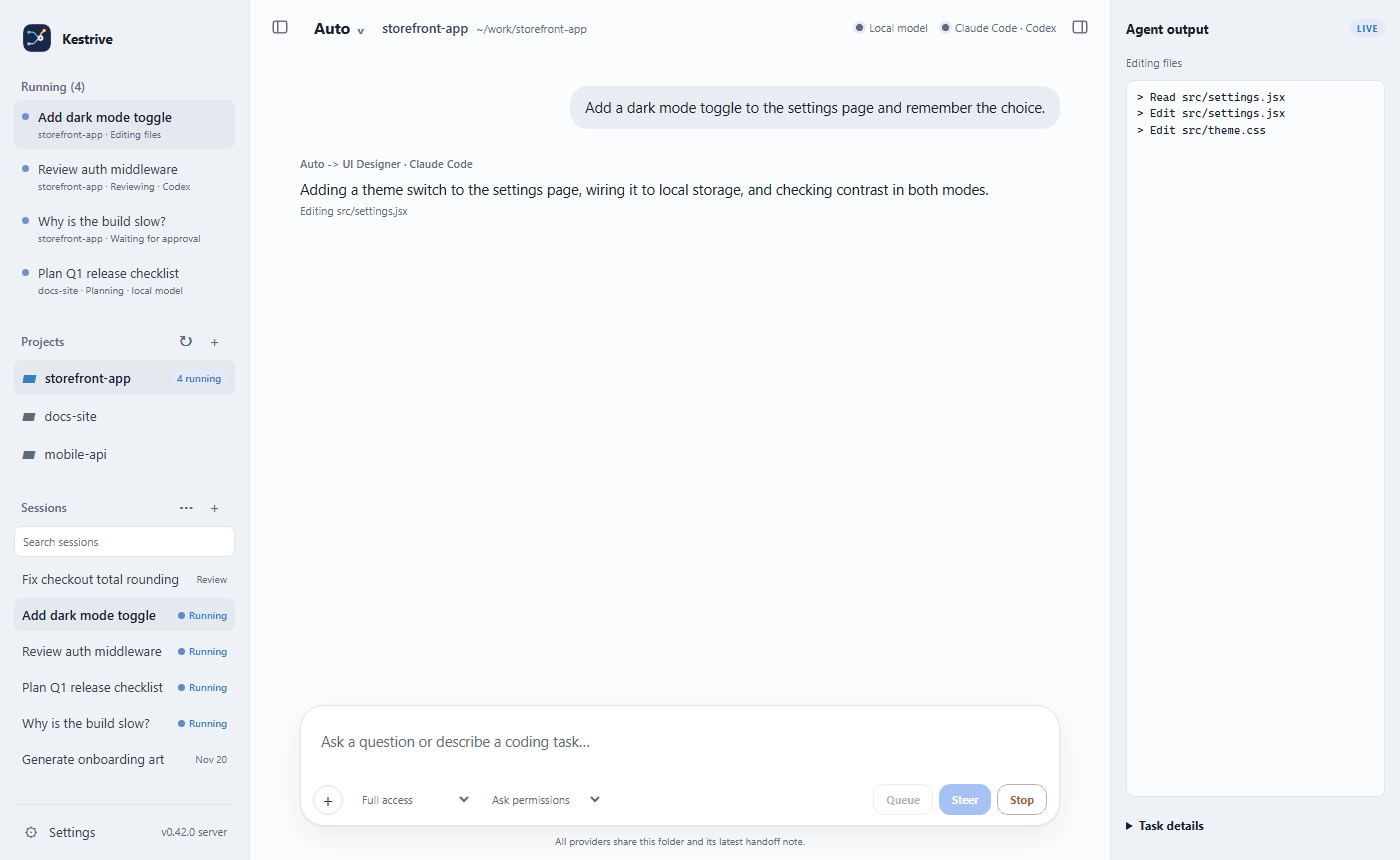
Parallel sessions
Run several sessions at once, with live agent output. Multiple projects? Run them all at once. Your Claude Code and Codex history can be imported so you can pick up where you left off in your existing setup.
Phone and other PCs
Use a phone web app or a Windows Client over Tailscale, with per-user logins and roles. Paid remote access is planned for connections through the Kestrive site; the site remote connection is not yet available.
Local hardware-first
Run on local models only, keep API keys encrypted by Windows on your PC, and add your own skills, rules and MCP servers. Cloud tools such as Claude Code, Codex and Copilot run under your own accounts with them. Your code, your project files, your rules.
Try it on Windows
The installer is available on request; there is no public download yet. We are currently in Closed Beta.