Windows desktop app
Send every request to the AI CLI tool best suited for it.
Local Agent Router routes each task to Claude Code, Codex, GitHub Copilot, a local model (Ollama, LM Studio, Colibri), or an OpenAI / Anthropic API key.
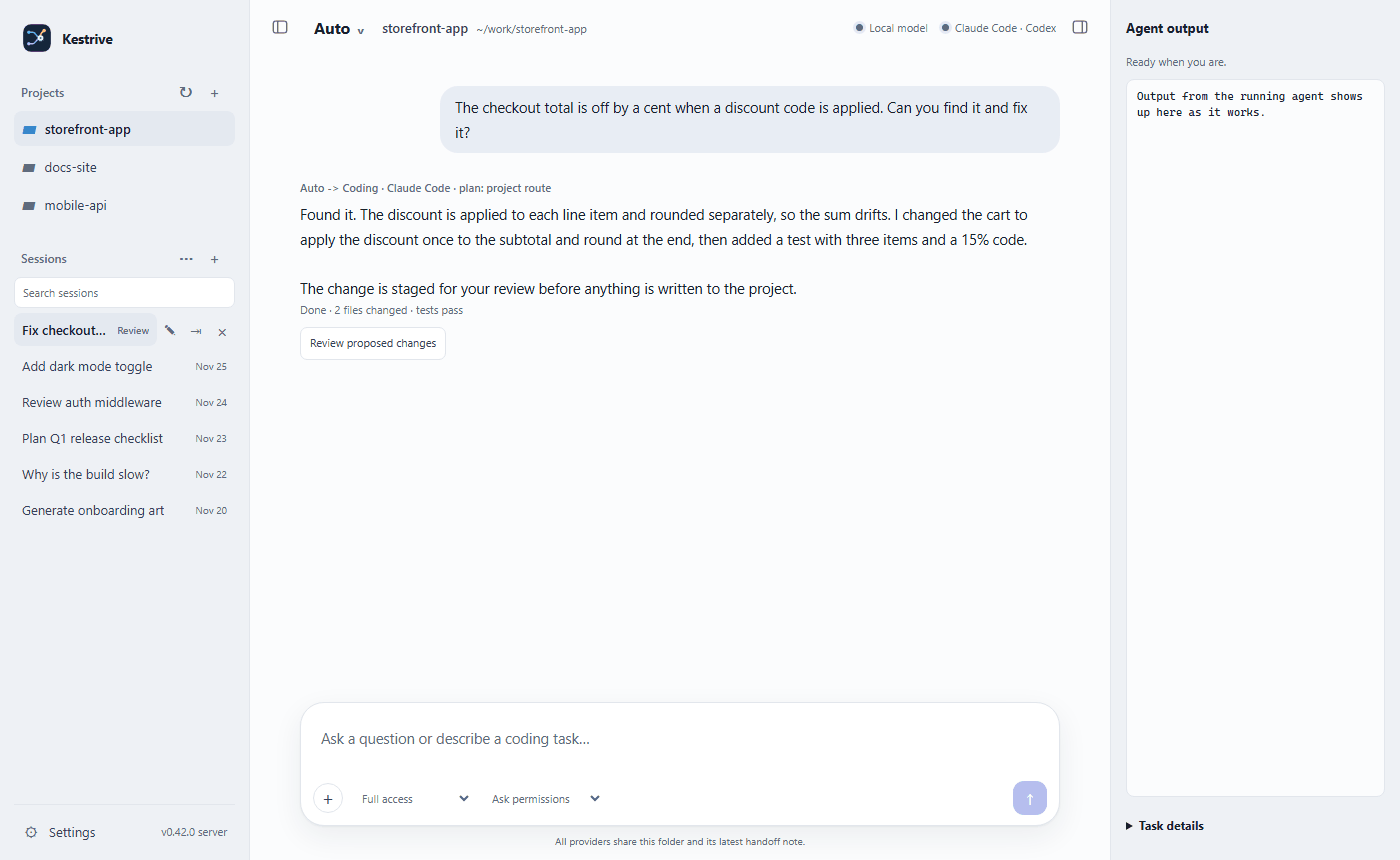
See it route a request
Highlights
Automatic routing
Auto picks a route for each request: planning, coding, reviewing, security audit, UI design, art assets, GitHub requests or quick questions.
Automatic fallback
Rate limited or missing a provider? If a tool is missing or not set up, the next available tool is used for that route.
Approvals you control
Permission requests appear as Allow or Deny cards, with full, review-first or read-only access per thread.
Review before applying
Ask for a staged copy to see changed lines for each of your files; your project is updated only after you apply.
Parallel sessions
Several sessions at once, with live agent output. Running multiple projects? Run them all so development never stops.
Phone and other PCs
Remote access is planned as a paid offering, with connections over Tailscale or through the Kestrive site.
Pick your look
Three themes, each in light and dark: Harbor, Moss and Ember.
Free on your PC. Remote access, your way.
Free desktop core
Use Kestrive on your Windows PC for free. Your AI providers may have their own charges.
Paid remote access — planned
Connect remotely over Tailscale or through the Kestrive site. Pricing and availability will be announced later.
The paid plan, billing and connection through the Kestrive site are not yet available.